※Transparency Matters: This article contains promotional content and affiliate links. We only recommend products we’ve personally tested and believe will help your expat life in Japan.
Introduction: The “Account Conflict” Headache
You’ve just unboxed your new Fire TV Stick in Japan!
You log in with your existing Amazon.com (US/UK/etc.) account, but suddenly you realize:
You can’t download Japanese apps like TVer or Abema.
Why?
Because Amazon’s digital ecosystem is strictly divided by region.
To truly enjoy your Fire TV in Japan, you need to understand the logic of “Regional Accounts.”

1. The Logic: Why You Need an Amazon.co.jp Account
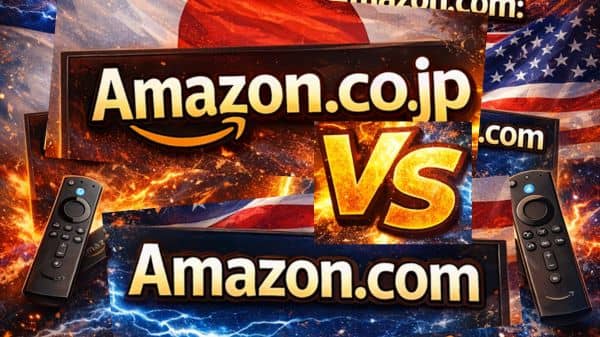
It is important to know that Amazon Japan (Amazon.co.jp) operates on a separate system from other Amazon regions (such as .com, .uk, or .de).
- Global Amazon Account: Best for accessing your existing Kindle library, digital purchases, and order history from your home country.
- Amazon.co.jp Account: Essential for local services, including Japanese Prime Video, regional apps (TVer, NHK+), and fast, reliable domestic deliveries within Japan.
Pro Tip: You can use the same email address for both, but they will remain two distinct accounts with different benefits. For the best Fire TV experience in Japan, we recommend logging in with your Amazon.co.jp account.
2. The Trap: “Same Email Address” Conflict
This is the #1 mistake expats make. If you use the same email address for both your International Amazon account and Japan accounts, Amazon’s system gets confused.
- The Symptom: You try to log in to your Fire TV, but it keeps redirecting you to your home country’s library, or gives you an “Account not found” error.
- The Solution: Use a different email address for your Japan account.
- Example:
name+us@gmail.comfor US andname+jp@gmail.comfor Japan.
- Example:
3. Step-by-Step: Setting Up Your Japan Account Correctly
Step 1: Create the Account on a Browser
Don’t do this on the Fire Stick. Go to amazon.co.jp
- Change the language to English (click the flag icon).
- Create a new account using a unique email address.
Step 2: Register a Japanese Address
Amazon needs to “verify” you are in Japan for digital content.
- Go to “Your Addresses.”
- Even if you don’t have a Japanese credit card yet, register your Japanese residence address. This unlocks the ability to download local apps.
Step 3: Setting the “Current Region”
Go to “Manage Your Content and Devices” → “Preferences” → “Country/Region Settings.” Ensure this is set to Japan.
4. Logical Setup: One Account or Two?
Should you merge your accounts? Logically, No. We recommend keeping them separate:
- Fire TV Stick: Logged into Amazon.co.jp. This gives you the best local performance and app access.
- Shopping: Use whichever account has your Prime membership.
⭐️ Sign up for Amazon Japan Prime!(30-Day Free Trial!)
5. FAQ:
- QDo I need a Japanese Credit Card?
- A
No. You can use an international card (Visa/Master/Amex) on Amazon.co.jp, or even buy Amazon Gift Cards at a convenience store (Konbini) to pay for your Prime membership or rentals.
Conclusion: Get Your Accounts Sorted First
Setting up your Amazon account with a unique email and a Japanese address is the foundation of a smooth streaming life. Once this is done, you are 90% of the way to the perfect home theater.
「Now that your account is ready, learn [How to Install a VPN on Amazon Fire TV Stick: Step-by-Step Guide for Expats] to unlock your home country’s Netflix library.」
For a Broader Overview of Streaming in Japan
This article is part of our complete guide to streaming in Japan.
For a broader overview of devices, VPNs, and Amazon Prime Japan, see our Ultimate Guide to Streaming in Japan.